How to Calculate Your Freelance Hourly Rate (Simple Formula)
A simple formula to set a freelance hourly rate that covers taxes, unpaid time and expenses.
Picking a freelance rate by guessing, or by copying one number you saw online, often leads to a rate that looks fine per hour but does not cover a full year of bills, slow weeks and unpaid admin time. This guide walks through a simple formula you can work out on paper or in a spreadsheet: what income to aim for, which costs to include, how many hours you can really bill, and how to add room for taxes and slow months. It includes a full worked example, how to turn an hourly rate into day and project prices, how to check your real rate once work comes in, and exactly what is inside the free invoice template and the paid kit linked on this page.
The formula
Start with the yearly income you want, add your yearly business expenses, then divide by the hours you can actually bill:
Hourly rate floor = (yearly income target + yearly business expenses) ÷ billable hours per year
The key word is billable. Many freelancers spend a good part of the week on work nobody pays for directly: finding clients, writing proposals, email, calls, invoicing, bookkeeping and learning. If you divide by every hour you work, your rate will come out too low. The result is your floor, the lowest rate that still meets your goal. You then add room for taxes and slow months before you quote.

Free 1-Page Invoice Template
A 1-page invoice for Excel or Google Sheets that totals line items, discount and tax, plus a printable PDF.
Download free →Step 1: Choose your income target
Decide what you want to pay yourself over a year. If you are leaving a job, remember that as a freelancer you may now pay for things an employer used to cover, such as health insurance, retirement savings, paid holidays and sick days. Put a number on the ones that apply to you, either in your income target or in your expenses, so they are not forgotten.
Be honest rather than hopeful. A target you need to live on is more useful than a round number you would like.
Step 2: Add up your yearly business expenses
List everything the business pays for in a year. Common items include:
- Software and subscriptions
- Equipment and hardware, such as a laptop, camera or tools
- Internet and phone
- Insurance
- Marketing, a website and ads
- Help from contractors
- Accounting or other professional fees
- Training and courses
- Payment and bank fees
- Rent or coworking, if you pay for a workspace
Monthly costs times 12 plus one-off yearly costs gives your total. If you already track spending, the small business expense categories guide can help you sort it, and freelancer income and expense tracking shows how to keep it up to date.
Step 3: Work out your billable hours
Start with weeks, then hours:
- Weeks you will work: 52 minus vacation, public holidays, sick days and any weeks you expect to be slow or between clients.
- Billable hours per week: not the hours you sit at your desk, but the hours you can charge a client for.
- Multiply them to get billable hours per year.
If you are not sure how many of your hours are billable, track a normal week or two: note every hour and mark which ones a client would pay for. Use that real number, not a best-case guess.
Step 4: Add room for taxes and slow months
Freelancers usually have no employer withholding tax from their pay, so they set money aside for it themselves. How much depends on where you live and your situation, so check with a qualified tax professional for your own figure. In the formula, you can allow for it by raising your income target so that what is left after your set-aside still meets your goal: divide your target by (1 minus the share you set aside).
Then add a small buffer on top for slow months, late-paying clients and surprise costs. Round the result to a clean number that is easy to quote.
A worked example
Here is the full calculation with example numbers. They are only an illustration, not a recommended rate or tax figure.
| Step | Calculation | Result |
|---|---|---|
| Income target | What you want to pay yourself | $60,000 |
| Business expenses | Software, equipment, insurance and so on | $6,000 |
| Weeks worked | 52 - 4 vacation - 2 holidays and sick days - 6 slow or admin weeks | 40 weeks |
| Billable hours | 40 weeks × 25 billable hours a week | 1,000 hours |
| Rate floor | ($60,000 + $6,000) ÷ 1,000 | $66 an hour |
| With a 25% set-aside (example only) | $60,000 ÷ 0.75 = $80,000, plus $6,000 = $86,000, ÷ 1,000 | $86 an hour |
| Plus a 10% buffer | $86 × 1.10 = $94.60, rounded | $95 an hour |
Billable hours have a big effect. Using the same $86,000 total:
| Billable hours a year | Rate needed |
|---|---|
| 800 | $107.50 |
| 1,000 | $86.00 |
| 1,200 | $71.67 |
That is why it pays to measure your billable hours honestly before you set a rate.
From hourly rate to day, project and retainer prices
- Day rate: hourly rate × the billable hours in a typical day. At $95 and 6 billable hours, that is $570 a day.
- Project price: estimate the hours, multiply by your rate, then add a margin for revisions and calls. For a 20-hour project at $95, that is $1,900; adding 15% for revisions gives $2,185.
- Monthly retainer: the hours you will set aside each month × your rate, with clear limits on what is included.
Quoting by project is fine, but keep your hourly number in mind so you can see whether a fixed price still covers your time.
Check your number against the market
The formula gives you a floor, not a ceiling. Before you quote, look at what similar freelancers in your field and area publish on their sites, think about your experience and results, and consider the value of the work to the client. If the market pays well above your floor, you do not need to charge the minimum. If your floor is well above what clients in your niche pay, look at your costs, your hours or the kind of clients you work with.
Track it to check it
Log every project's hours and invoice amount, including the unbilled time for calls, revisions and admin. After a few months, divide what you were paid by the hours you really spent to see your real (effective) rate.
For example, a $1,500 project you expected to take 15 hours ($100 an hour) that actually took 25 hours paid $60 an hour, well below a $95 target. That tells you to scope the next one more tightly, charge for extra revisions, or raise the price. When it is time to raise rates, the price increase letter guide has wording you can adapt, and how to track freelance clients covers keeping each client's work and payments in one place.
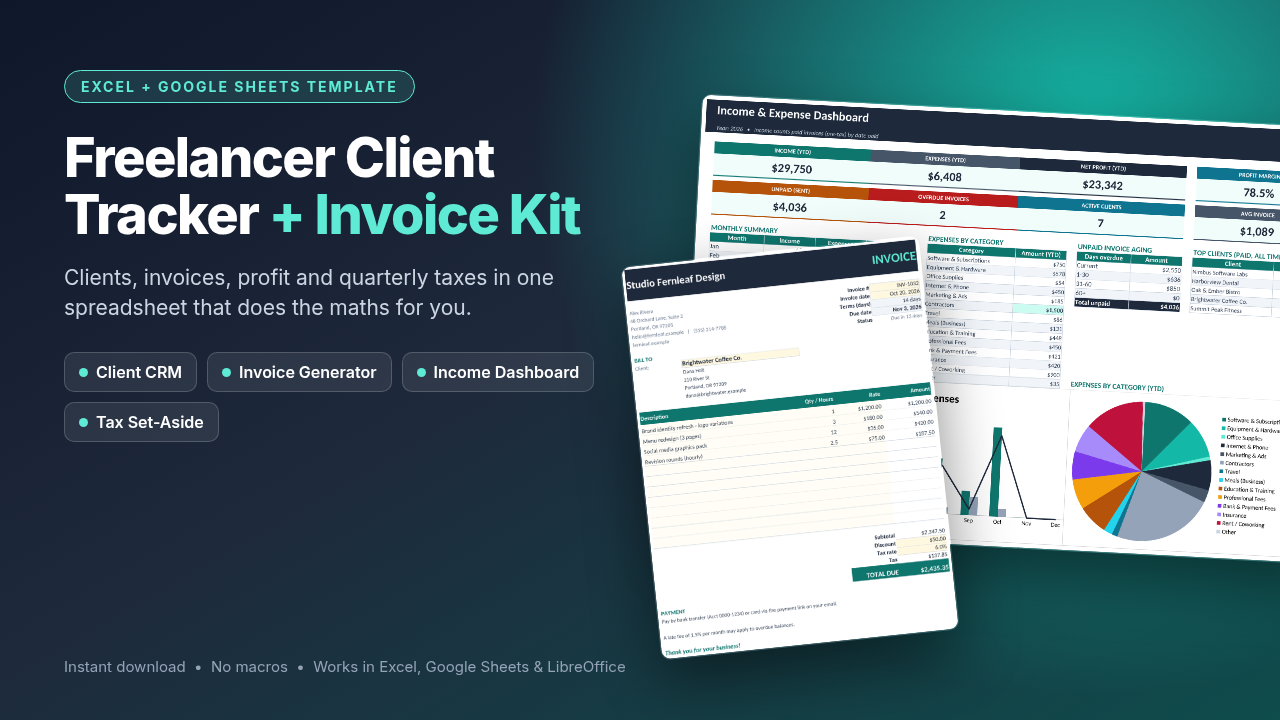
Freelancer Client Tracker + Invoice Kit
A client list, invoice template, invoice log with overdue tracking, expense log, income dashboard and quarterly set-aside estimate in one spreadsheet.
Get it →What is in the templates
| File | What it includes | How it helps with your rate |
|---|---|---|
| Free 1-Page Invoice Template (PDF) | One letter-size page with blank fields: from, invoice number, invoice date, due date, bill to, line items (description, qty, rate, amount), subtotal, discount, tax, total due, payment terms and notes | A printable invoice to fill in by hand with your rate |
| Free 1-Page Invoice Template (spreadsheet) | An .xlsx invoice with 10 line-item rows; amounts (qty × rate), subtotal, discount %, tax % and total due calculate automatically, and the due date fills in from your payment terms | Bill hours at your new rate without doing the math by hand |
| Kit: Settings and Clients tabs | Your business details, default tax rate and payment terms, and a 200-row client list with status, lead source, rate, payment terms, follow-up dates and automatic invoiced, paid and outstanding totals | Record the rate you agreed with each client |
| Kit: Invoice and Invoice Log tabs | An invoice with a client dropdown, 12 line items (qty or hours × rate), discount, tax and due date, plus a 1,000-row log with due dates, days overdue and aging (current, 1-30, 31-60, 60+) | See what you billed and what is still unpaid |
| Kit: Expenses tab | 1,000 rows with 14 editable categories, payment method and a Yes/No tax-deductible flag | Your real yearly expenses for Step 2 next year |
| Kit: Dashboard and Quarterly Tax tabs | Year-to-date income, expenses, net profit and margin, unpaid and overdue invoices, a monthly summary, expenses by category and top clients; plus a quarterly set-aside planning estimate using rates you enter (not tax advice) | Compare real income with the target you set in Step 1 |
| Kit: extra files | A blank workbook, a sample filled with made-up data, a 9-page Quick-Start Guide PDF and a README | See how everything fits together before you start |
To be clear about their limits: neither file calculates your hourly rate, and the kit has no time tracker. Work out your rate with the formula above, then enter it in the Rate column on the Clients tab and on each invoice. Log your hours somewhere simple, such as a notes app or the invoice's Qty / Hours column, so you can check your effective rate. You can also start with the free freelance invoice template guide.
Tips for setting your rate
- Use real numbers. Base hours and expenses on what you have tracked, not on a perfect week.
- Round to a clean number. $95 is easier to quote than $94.60.
- Write your minimum down. Know your floor before a client asks, so you do not drop below it on a call.
- Quote scope, not just price. State what is included and how extra work is billed.
- Review your rate yearly. Costs and skills change. The year-end freelance checklist is a good time to recheck it.
- Give notice before raising rates for existing clients, and put the new rate in writing.
Common mistakes and fixes
| Mistake | Fix |
|---|---|
| Dividing by every hour worked | Divide by billable hours only, measured from a real week or two. |
| Copying a former salary as an hourly rate | Add expenses, unpaid time and benefits you now pay for yourself, then use the formula. |
| Forgetting taxes | Raise your target to allow for a set-aside, and ask a tax professional what figure fits you. |
| Planning for 52 working weeks | Subtract vacation, holidays, sick days and slow weeks. |
| Fixed prices with no limit on revisions | Write the number of revision rounds into the quote and bill extra ones at your hourly rate. |
| Never checking the real rate | Track hours and payments per project and divide paid by hours spent every few months. |
FAQ
What is a simple formula for a freelance hourly rate?
Add your yearly income target and yearly business expenses, then divide by the hours you can bill in a year. That gives your floor. Add room for taxes and slow months before you quote.
How many billable hours should I plan for?
Use your own numbers. Track a normal week or two, count only the hours a client would pay for, and multiply by the weeks you will really work after time off and slow periods.
Should I charge hourly or by project?
Either can work. Many freelancers quote by project but work out the price from estimated hours times their hourly rate, plus a margin for revisions, so the fixed price still covers their time.
How do I include taxes in my rate?
Divide your income target by (1 minus the share you plan to set aside) before adding expenses. The right share depends on where you live and your situation, so check with a qualified tax professional.
Does the Freelancer Kit calculate my hourly rate?
No. It has no rate calculator or time tracker. Work out your rate with the formula on this page, then record it in the Rate column on the Clients tab and use it on your invoices.
Related templates
Free 1-Page Invoice Template
A 1-page invoice for Excel or Google Sheets that totals line items, discount and tax, plus a printable PDF.
Download free →Freelancer Client Tracker + Invoice Kit
A client list, invoice template, invoice log with overdue tracking, expense log, income dashboard and quarterly set-aside estimate in one spreadsheet.
Get it →