How Freelancers Should Track Income and Expenses for Taxes
A simple system for freelancers to track income, expenses and set aside money for taxes.
When you work for yourself, nobody hands you a payslip or keeps your records for you. Money comes in from different clients on different dates, expenses go out on cards and apps, and at tax time you have to show what you earned and what you spent. This guide sets out a simple system you can keep up all year: a separate account, a short list of things to record, a habit of setting money aside for taxes, and a weekly and monthly routine that takes minutes instead of a lost weekend.
Why tracking income and expenses matters
Good records do more than make tax time calmer. They answer everyday questions about your business:
- Are you actually profitable? Income minus expenses is your real result.
- Who still owes you? If you track invoices and payments together, unpaid and overdue invoices stand out before they are forgotten.
- Can you back up your numbers? If you are ever asked to show where a figure came from, dated records and receipts make that simple.
- Are your rates right? Knowing your costs helps when you set or raise prices. See the freelance rate calculator guide for a simple formula.
Separate accounts first
Open a separate checking account for business income and expenses. It makes tracking and tax time far easier, because your bank statement becomes a list of business transactions only.
Many freelancers also keep a separate savings account just for tax money. Each time a payment arrives, part of it moves into that account, so it is not mixed with money you can spend. A dedicated business card helps in the same way.
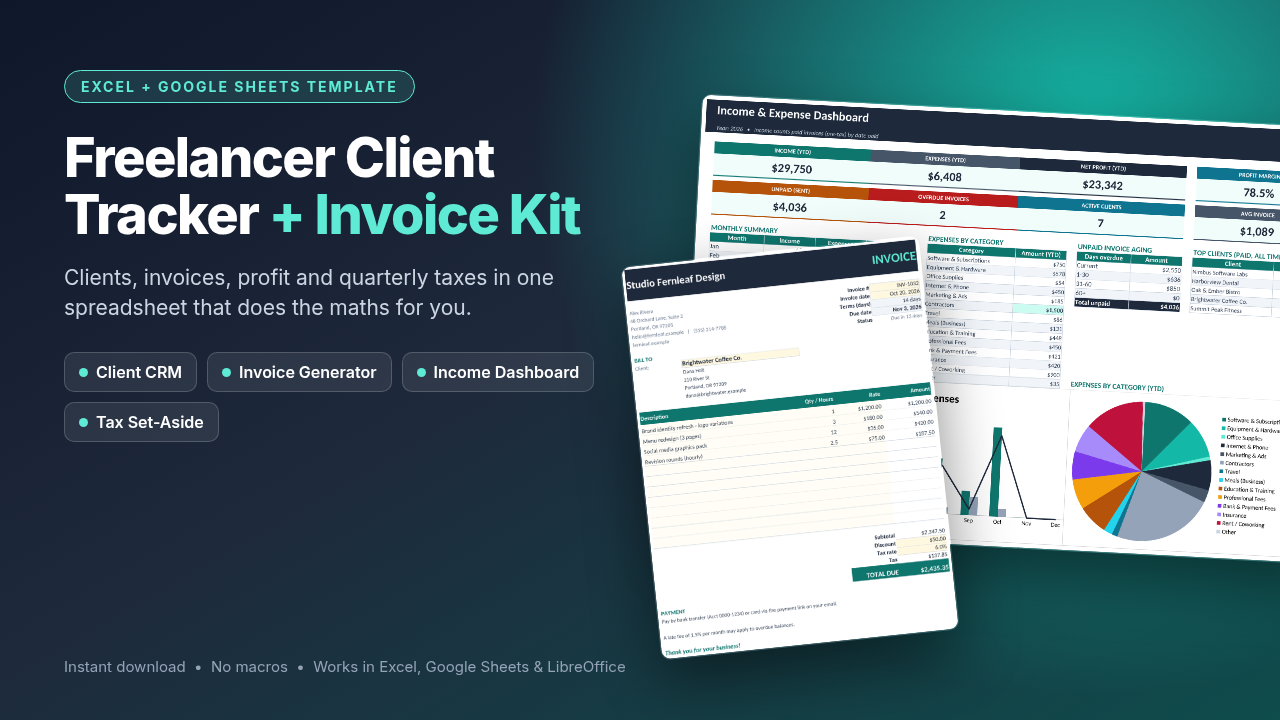
Freelancer Client Tracker + Invoice Kit
Clients, invoices, expenses, an income dashboard and a quarterly tax set-aside tab in one spreadsheet.
Get it →What to track
You need a consistent record of a few things.
Income
For every payment, record the date it arrived, the client, the invoice number it pays, the amount and how it was paid. Tracking invoices you have sent separately from payments you have received shows you the gap between what you billed and what has actually landed. A clear invoice numbering format makes matching payments to invoices much easier.
Expenses
For every business cost, record the date, the vendor, a short description, the amount, the payment method and a category. The guide to tracking business expenses in Excel or Google Sheets walks through a simple layout.
Categories
Categories turn a long list of expenses into totals you can actually use. Typical groups include software and subscriptions, equipment, office supplies, internet and phone, marketing, contractors, travel, business meals, education, professional fees, bank and payment fees, insurance and rent or coworking. For more detail, see small business expense categories. Whether a cost can be deducted is a separate question; the tax-deductible business expenses checklist is a starting point to discuss with a professional.
Receipts
Keep a receipt or invoice for each expense. A simple method is to photograph paper receipts and save them, together with emailed receipts, into one cloud folder with a subfolder for each month. Name files with the date and vendor.
Mileage and travel
If you drive for work, keep a mileage log as you go: the date, where you went, the business purpose and the miles driven (or start and end odometer readings). How business driving is treated varies by country and situation, so check the rules that apply to you.
Tax set-asides
Record how much you move into tax savings and when. If you make estimated or advance tax payments during the year, log those too, so you can see what is already covered and what is still to pay.
Set aside money for taxes as you go
As a freelancer, tax is usually not taken out of your payments before you receive them, so it is up to you to keep enough aside. The simplest habit is to choose a set-aside percentage and move that share of each payment, or of each month's profit, into your tax savings account straight away.
The right percentage depends on where you live, how much you earn, your expenses and your personal situation, so there is no single number that suits everyone. Ask a tax professional to help you pick a sensible figure, then review it once or twice a year. In some places, self-employed people are expected to pay estimated taxes during the year, often quarterly; find out whether that applies to you and when the deadlines are, and put them in your calendar.
A simple weekly and monthly routine
Small, regular sessions beat one huge catch-up.
Every week (about 10-15 minutes)
- Log any payments received, with the date and invoice number.
- Mark those invoices as paid.
- Log every expense from the week with its category and payment method.
- Save receipts into this month's folder and tick them off in your log.
- Add any business trips to your mileage log.
- Check for overdue invoices and send a reminder if needed. The late payment email templates help here.
Every month (about 20-30 minutes)
- Compare your log with your business bank and card statements, and add anything you missed.
- Total income and expenses for the month, and expenses by category.
- Work out net profit: income minus expenses.
- Move your chosen set-aside amount into tax savings and record it.
- Look at unpaid invoices and how long they have been outstanding.
Every quarter and at year end
Once a quarter, check your total set-aside against your profit so far and any estimated payment deadlines. At the end of the year, the year-end freelance checklist covers what to tidy up before you hand records to an accountant or file.
What is in the Freelancer Client Tracker + Invoice Kit
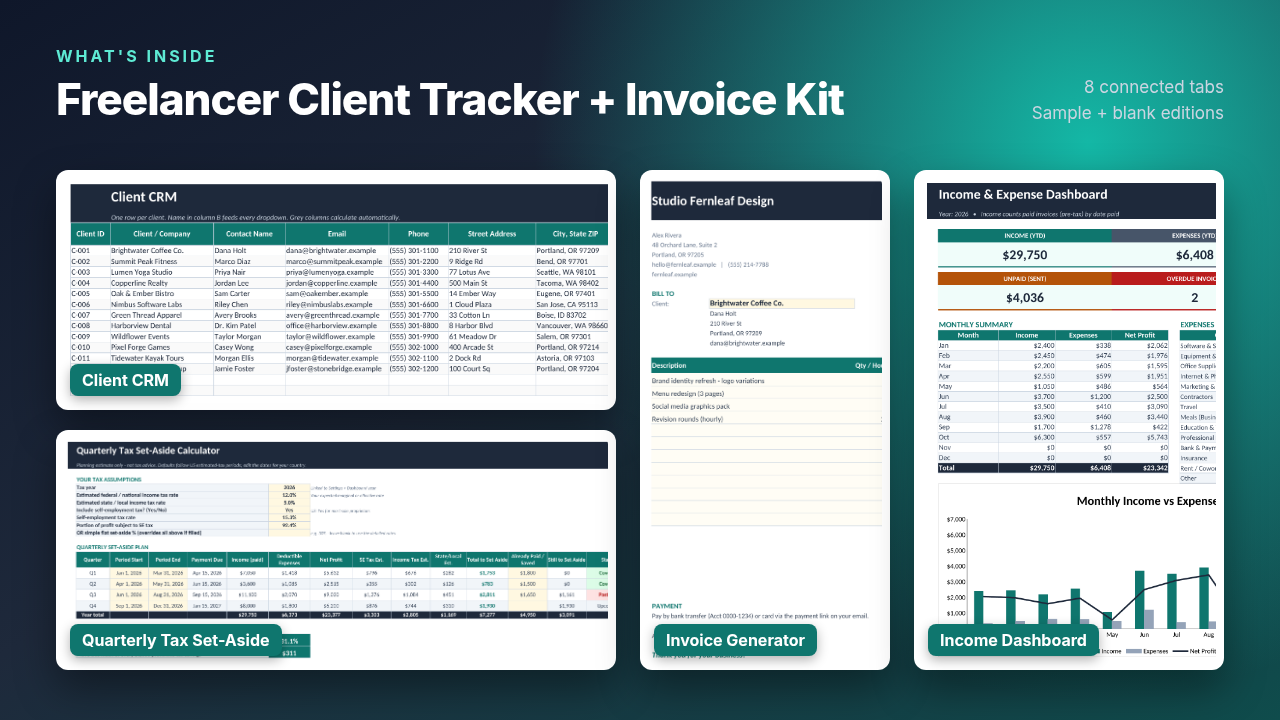
If you would rather not build a spreadsheet from scratch, the kit puts clients, invoices, income and expenses in one workbook. It comes as a blank workbook, a sample copy filled with made-up data and a quick-start PDF guide. It works in Excel 2010 or later, Google Sheets (File > Import) and LibreOffice, with no macros. These are its tabs:
| Tab | What it holds | How it helps with income and expenses |
|---|---|---|
| Start Here | Quick-start steps, colour legend and tips | Explains where to type and which cells calculate on their own |
| Settings | Your business details, default invoice tax rate, payment terms, payment instructions, dashboard year and editable lists of expense categories, client statuses and invoice statuses | Set your categories once so every expense uses the same names |
| Clients | One row per client: contact details, status, lead source, rate, payment terms, follow-up dates and notes | Shows total invoiced, total paid and outstanding for each client |
| Invoice | A one-page invoice: pick a client from the dropdown, add line items, and totals, tax and due date calculate | Print it or export it to PDF to send |
| Invoice Log | Every invoice with issue date, terms, due date, amount, tax, total, status and date paid | Overdue invoices turn red, with days overdue and aging (Current, 1-30, 31-60, 60+) |
| Expenses | Date, category, vendor, description, amount, payment method, a tax-deductible flag and notes | Your running expense log, with 14 editable categories |
| Dashboard | Year-to-date income, expenses, net profit and profit margin, unpaid and overdue totals, active clients and average invoice | Monthly income vs expenses, expenses by category, unpaid invoice aging and top clients, with nothing to type |
| Quarterly Tax | A set-aside calculator: enter your own estimated rates or one flat percentage | Shows income, deductible expenses, net profit and the amount to set aside for each quarter, what you have already saved or paid, and what is still to set aside |
The tables hold 200 clients, 1,000 invoices and 1,000 expenses. Income on the dashboard counts paid invoices, so marking invoices as paid when the money arrives keeps the figures right. The kit does not have a separate mileage tab; record trips in your own mileage log and enter travel costs under the Travel category. Its tax figures are planning estimates only, not tax advice. For more on running clients and invoices in the same workbook, see how to track freelance clients.
Prefer paper? The Free Monthly Business Expense Log is a printable PDF with three pages: a monthly expense log (date, vendor, category, payment, amount and a receipt-saved check), a monthly profit and tax summary with totals for 13 categories and a simple set-aside calculation, and an expense categories cheat sheet. If you need to send invoices too, start with the free freelance invoice template.
Tips that make it easier
- Pick a fixed time. Put a short weekly session in your calendar, such as Friday afternoon, and treat it like a client meeting.
- Log on the day when you can. Logging a payment or expense the day it happens takes seconds and stops things piling up.
- Keep categories consistent. Use the same category names every month so your totals compare properly across the year.
- Keep backups. Store your spreadsheet and receipt folder somewhere that is backed up, and save a copy of each year's file once it is finished.
Common mistakes and how to fix them
- Mixing personal and business money. Fix: open a separate business account and card, and move any personal payments out of your business log.
- Counting invoices as income before they are paid. Fix: track sent invoices and received payments separately, and only count income when the money arrives (or follow the method your accountant tells you to use).
- Losing receipts. Fix: photograph receipts as soon as you get them and save them to one monthly folder, then tick them off in your log.
- Spending the tax money. Fix: move the set-aside amount into a separate savings account each time you are paid or at least once a month.
- Leaving it all until year end. Fix: start the weekly routine today and catch up one month at a time, working from your bank statements.
All 3 Kits Bundle
Get the Freelancer Client Tracker, ADHD Planner and Short-Term Rental Host Kit together in one purchase.
Get it →FAQ
How often should freelancers update their records?
A short weekly session for payments, expenses and receipts, plus a monthly check against your bank statements, keeps things manageable. The important part is doing it regularly.
Do I need accounting software?
Not necessarily. Many freelancers start with a spreadsheet or a printed log. If your business grows or your accountant recommends software, you can move your records over later.
How much should I set aside for taxes?
It depends on where you live, your income, your expenses and your situation, so there is no single answer. A tax professional can help you choose a percentage, and you can then set it aside from every payment.
Does the kit work in Google Sheets?
Yes. It is built for Excel and Google Sheets (File > Import), and it also opens in LibreOffice. It uses no macros.
Is there a free version?
Yes. The Free Monthly Business Expense Log is a printable PDF with a monthly expense log, a profit and tax summary page and an expense categories cheat sheet.
This guide is general information about record keeping, not tax, legal or accounting advice. Tax rules vary by country and situation, so check with a qualified professional.
Related templates
More free guides
- Free Freelance Invoice Template (and What to Put on It)
- Late Payment Email Templates for Freelancers (Polite to Firm)
- How to Calculate Your Freelance Hourly Rate (Simple Formula)
- How to Track Business Expenses in Excel or Google Sheets
- How to Track Freelance Clients, Projects and Payments in One Spreadsheet
- Invoice Number Format