Holiday Hours Announcement Templates for Small Service Businesses
When to announce, what to include, eight copy-ready templates (email, text, social post, door sign, voicemail, auto-reply, booking banner and a "we're back" message), holiday booking cutoffs and deposits, urgent-request rules, a labeled example schedule and a checklist.
Why a clear holiday hours announcement matters
Late November through New Year's is the busiest stretch of the year for many small service businesses and the most confusing one for clients. Cleaners get asked for a deep clean on December 23, groomers get last-minute requests for holiday photos, trainers and tutors see sessions shuffle around school breaks, and pet sitters and caregivers get booked for the same handful of dates by everyone at once.
When clients do not know your holiday schedule, you get the same question by text a dozen times, missed messages while you are closed, people turning up to a locked door, and frustrated regulars who could not get a slot because they did not know when to book. One clear announcement, sent early and repeated in the right places, prevents most of that.
This guide covers when to announce, what every holiday hours notice should include, eight copy-ready templates (email, text, social post, door sign, voicemail greeting, email auto-reply, booking page banner and a "we're back" message), booking cutoffs and deposits for the busiest dates, how to handle urgent requests while you are closed, a labeled example schedule, common mistakes and a checklist. Change the wording so it sounds like you.

Free 1-Page Invoice Template
A free 1-page invoice for Excel, Google Sheets and LibreOffice plus a printable PDF, with automatic line totals, discount, tax and due date. Invoice December work before you close for the holidays.
Download free →When to announce your holiday hours
- Three to four weeks ahead (late November): the main announcement by email and on social media, with booking cutoffs for the busiest dates. For a Christmas and New Year schedule, the week after Thanksgiving is a good time.
- Two weeks ahead: a short reminder, plus updated hours on your booking page, website and online business listings.
- A few days ahead: a text to clients who have appointments near the closure dates, and a sign on your door or in your vehicle window if clients visit you.
- The day you close: switch on your voicemail greeting and email auto-reply.
- The day you reopen: a short "we're back" message with open slots.
If you only close for a day or two, one announcement plus updated listings is usually enough. If you close for a week or more, or change your hours across several weeks, use the full timeline.
What every holiday hours notice should include
Clients skim. Put the dates first and keep the rest short.
| Item | What to write | Why it matters |
|---|---|---|
| Closed dates | Day of week and date, e.g. "Closed Thursday, Dec 24 through Friday, Jan 1" | Day names prevent mix-ups about which week you mean |
| Reduced or changed hours | "Open 9 am to 1 pm on Wednesday, Dec 23" | Short days are the ones clients miss most |
| Reopening date | "Back to regular hours Monday, Jan 4" | Answers the next question before it is asked |
| Booking cutoff | "Last day to book holiday appointments: Friday, Dec 11" | Pushes people to book early instead of messaging late |
| How to book | Link to your booking page or the number to text | Makes the next step one tap |
| Messages while closed | "Messages received while we are closed will be answered on Jan 4" | Sets expectations so nobody feels ignored |
| Urgent contact (optional) | Only if you truly offer it, e.g. for existing pet-sitting or care clients | Avoids promising cover you cannot give |
| Deposit or cancellation note | "Holiday bookings need a deposit; see policy" | Protects the dates you cannot easily refill |
| Thank-you line | One sentence of thanks for the year | Keeps the tone warm, not just a notice |
Copy-ready holiday hours templates
Replace the words in [brackets]. Use the same dates and wording everywhere so nobody sees two different schedules.
1. Holiday hours email
Subject: Our holiday hours (and how to get your spot)
Hi [Name],
Thank you for being a client this year. Here is our holiday schedule so you can plan ahead:
• [Wednesday, Dec 23]: open [9 am to 1 pm]
• [Thursday, Dec 24] to [Friday, Jan 1]: closed
• [Monday, Jan 4]: back to regular hours
Holiday dates fill quickly. The last day to book an appointment before the break is [Friday, Dec 11]. Book here: [booking link], or reply to this email.
Messages sent while we are closed will be answered when we reopen on [Monday, Jan 4].
Wishing you a happy holiday season,
[Your name]
[Business name]
2. Text message
Hi [Name], it's [Your name] from [Business]. Holiday hours: closed [Thu Dec 24] to [Fri Jan 1], back [Mon Jan 4]. Last day to book before the break: [Fri Dec 11]. Book: [short link]. Reply STOP to opt out.
Consent note: only text clients who already text with you or agreed to receive messages from your business. Keep it to one text, identify your business, include a simple way to opt out, and check the messaging rules where you work. A schedule update to someone with a booked appointment is usually welcome; a mass promotional blast is a different thing.
3. Social media post
Holiday hours at [Business] 🎄
Open [Wed Dec 23], [9 am to 1 pm]
Closed [Thu Dec 24] to [Fri Jan 1]
Back [Mon Jan 4]
Want a spot before the break? Book by [Fri Dec 11] at the link in our bio. Thank you for an amazing year!
Pin the post to the top of your profile until you reopen, and use the same dates in a simple graphic so it is readable at a glance.
4. Door, window or vehicle sign
HOLIDAY HOURS
Wednesday, Dec 23: 9 am to 1 pm
Closed Thursday, Dec 24 to Friday, Jan 1
Open again Monday, Jan 4
Book online: [short link or QR code]
Thank you and happy holidays!
Print it large, put the day names in bold and add a QR code to your booking page so passersby can book on the spot.
5. Voicemail greeting
Hi, you've reached [Business]. We're closed for the holidays from [Thursday, December 24] and will be back on [Monday, January 4]. Please leave your name, number and a short message, or book online at [website], and we'll get back to you when we reopen. Thank you, and happy holidays!
6. Email auto-reply
Subject: Closed for the holidays, back [Mon Jan 4]
Thank you for your message. [Business] is closed from [Thursday, Dec 24] to [Friday, Jan 1]. We will reply when we reopen on [Monday, Jan 4].
You can book a January appointment any time here: [booking link].
[Optional, only if true: Existing [pet-sitting / care] clients with a booked visit can text [number] for anything urgent about that visit.]
Happy holidays,
[Your name]
7. Booking page or website banner
Holiday hours: closed Dec 24 to Jan 1, back Jan 4. Holiday appointments must be booked by Dec 11.
Keep the banner to one line and block the closed dates in your booking calendar so nobody can book a slot you will not be there for.
8. "We're back" message
Hi [Name], we're open again! [Business] is back to regular hours starting today, [Monday, Jan 4]. If you have been meaning to book, January still has openings on [days]. Book here: [booking link]. Thank you for your patience over the break.
This message doubles as a gentle nudge for clients who put off booking during December, which helps fill the quieter first weeks of the year.
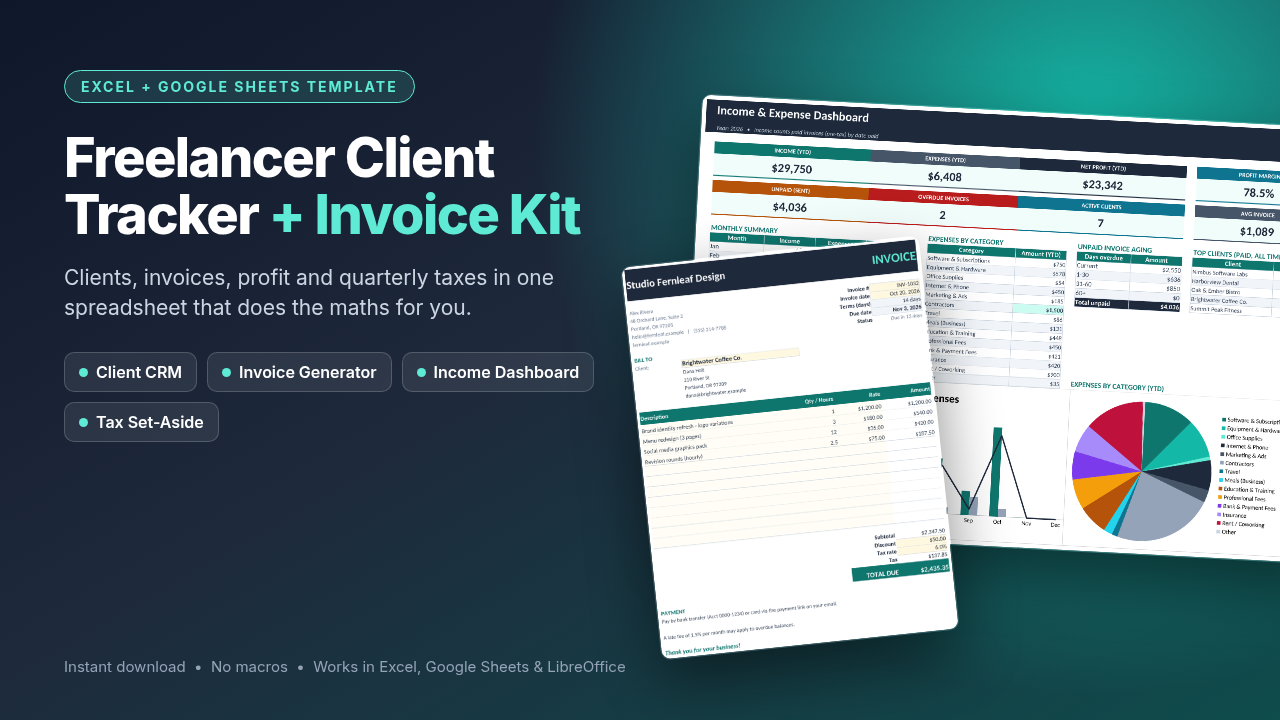
Freelancer Client Tracker + Invoice Kit
One Excel and Google Sheets file with a client list that stores each client's rate and payment terms, an invoice generator with client dropdowns, an invoice log with overdue alerts, an expense tracker, an income dashboard and a quarterly tax set-aside calculator. It does not include holiday hours templates; copy the messages on this page and use the kit to invoice and track December work before the break.
Get it →Booking cutoffs, deposits and cancellations for holiday dates
The days right before Christmas and New Year's Eve are the hardest to refill if someone cancels, so many service businesses add a few simple rules for that window. Decide them before you announce, then state them in one line in your notice.
- Booking cutoff: pick a date after which you will not take new holiday-week bookings, so you can plan supplies, staff and travel time. Waitlist anyone who asks after the cutoff.
- Deposit for holiday dates: a set dollar amount, or the first visit paid in advance, for peak dates only. State whether it comes off the final bill and when it is refunded.
- Cancellation window: a longer notice period for peak dates than your usual policy, stated in days, not "short notice".
- Holiday rates: if you charge more on the holiday itself, put the amount in the booking confirmation, not just in a social post.
- Written confirmation: send the date, time, price, deposit and cancellation terms in writing for every holiday booking.
Keep the rules simple and apply them evenly to regulars and new clients. Check that your deposit and cancellation terms follow the consumer rules where you work; some places limit non-refundable deposits or require certain wording.
Handling urgent requests while you are closed
Decide in advance what counts as urgent, because "can you squeeze me in?" will arrive on December 26 either way.
- If you offer no cover: say so plainly in your auto-reply and voicemail, and give the reopening date.
- If you offer limited cover: limit it to existing clients with booked visits (common for pet sitters, house sitters and caregivers), and give one contact method only.
- If a trusted colleague covers for you: get their agreement in writing first, and tell clients who they are, what they can and cannot do and how to reach them.
- If you take paid emergency jobs: state the holiday rate up front so there is no surprise on the invoice.
Whatever you choose, check messages at a set time once a day at most, and do not reply to non-urgent messages until you reopen. Replying once while "closed" teaches clients that the closure is not real.
Example holiday schedule
Here is how one made-up house cleaning business might lay out its 2026 to 2027 holiday schedule. Christmas Day 2026 is a Friday and New Year's Day 2027 is also a Friday.
| Date | Status | Notes |
|---|---|---|
| Thu, Nov 26 (Thanksgiving) | Closed | Announced in early November |
| Fri, Nov 27 | Open, regular hours | Main holiday hours email goes out |
| Fri, Dec 11 | Open | Last day to book holiday-week cleans |
| Mon, Dec 21 to Tue, Dec 22 | Open, extended hours | Pre-holiday deep cleans; deposit required |
| Wed, Dec 23 | Open 8 am to 1 pm | Short day; no new bookings after cutoff |
| Thu, Dec 24 to Fri, Jan 1 | Closed | Auto-reply and voicemail on |
| Mon, Jan 4, 2027 | Regular hours resume | "We're back" message with January openings |
Example only. Business, dates, hours and rules are made up to show the method. Use your own.
Update every place clients look
A great announcement does not help if a client checks an old listing. Before you close, update:
- Your online business listings and maps profiles (most let you add special holiday hours for specific dates).
- Your booking page or scheduling app: block the closed dates and add the banner.
- Your website header or contact page.
- Your social media bio or pinned post.
- Your email signature: one line with the closed dates.
- Your voicemail greeting and email auto-reply.
- Any recurring client calendar entries or standing appointments that fall on closed dates. Reschedule these personally before sending the general notice.
Then set a reminder for your reopening day to switch everything back, including removing the special hours, the banner and the auto-reply.
Common mistakes
- Announcing too late. A notice sent on December 20 reaches clients after the good slots are gone.
- Dates without day names. "Closed 24th to 1st" leaves people guessing; "Closed Thursday, Dec 24 to Friday, Jan 1" does not.
- Different dates in different places. Copy from one master schedule into every message and listing.
- Forgetting standing appointments. Regulars with a weekly slot on a closed date should hear from you directly, not from a group email.
- Promising urgent cover you will not give. Only offer it if you will actually answer.
- Leaving the holiday hours up in January. Old notices make you look closed when you are open.
- Only sending a closure notice. Add the booking cutoff and link so the message also fills your calendar.
Holiday hours checklist
- Choose your closed dates, short days and reopening date.
- Decide booking cutoff, holiday deposit, cancellation window and any holiday rate.
- Personally reschedule standing appointments on closed dates.
- Send the email and social post three to four weeks ahead.
- Update listings, booking page, website, bio and email signature.
- Send a reminder two weeks ahead, and texts to booked clients a few days ahead.
- Put up the door, window or vehicle sign.
- Turn on voicemail greeting and email auto-reply on closing day.
- Invoice December work before you close so payments can arrive over the break.
- Send the "we're back" message and switch everything back on reopening day.
Tip: invoicing December jobs before the break, with a clear due date, means fewer unpaid invoices waiting for you in January. A simple invoice log with due dates makes that easy to track.
FAQ
When should I announce my holiday hours?
Send the main announcement three to four weeks ahead, which for Christmas and New Year usually means the week after Thanksgiving. Follow with a reminder two weeks ahead, texts to booked clients a few days ahead and an auto-reply on the day you close.
What should a holiday hours notice include?
Closed dates with day names, any short days, your reopening date, a booking cutoff, how to book, when messages will be answered and, if you use them, a one-line note about holiday deposits or cancellations.
How do I tell clients we are closed for the holidays?
Use the same dates everywhere: an email, a social post, updated online listings and booking page, a door or vehicle sign, a voicemail greeting and an email auto-reply. Reschedule standing appointments personally first.
Should I charge a deposit for holiday appointments?
Many service businesses ask for a deposit on peak dates because last-minute cancellations are hard to refill. State the amount, whether it comes off the bill and when it is refunded, and check the consumer rules where you work.
Can I text clients about holiday hours?
Yes, if they already text with you or agreed to receive messages from your business. Keep it to one short text, identify your business and include a way to opt out.
What do I say when I reopen after the holidays?
Send a short message that you are open again, mention the days with January openings and include your booking link. It also nudges clients who put off booking in December.
This page is general information for small service businesses, not legal, tax or compliance advice. Rules on deposits, cancellations, messaging and consumer protection vary by country, state and industry; check the rules that apply to you and ask a qualified professional if you are unsure. All names, dates, hours and prices shown are examples only.
Related templates
Free 1-Page Invoice Template
A free 1-page invoice for Excel, Google Sheets and LibreOffice plus a printable PDF, with automatic line totals, discount, tax and due date. Invoice December work before you close for the holidays.
Download free →Freelancer Client Tracker + Invoice Kit
Client list with rates and payment terms, invoice generator, invoice log with overdue alerts, expense tracker and profit dashboard.
Get it →More free guides
- Appointment Reminder Templates
- Cancellation Policy Templates
- Client Referral Program Templates for Small Service Businesses
- Year-End Client Thank-You Note Templates for Service Businesses
- January Slow Season Promo Ideas for Service Businesses
- How to Ask Clients for Reviews
- Daycare Holiday Schedule
- Year-End Checklist for Freelancers
- Holiday Deep Cleaning Pricing
- Pet Sitting Holiday Rates