Appointment Reminder Templates for Small Service Businesses (Texts and Emails)
Copy-ready booking confirmations, two-day, day-before and same-day reminders, reschedule and no-show follow-ups, seasonal and holiday booking reminders, texting consent tips, when to send each message, common mistakes and a checklist.
Why appointment reminders are worth setting up
Most missed appointments are not rude clients. They are busy people who forgot, mixed up the day, or meant to reschedule and never got around to it. A short, friendly reminder at the right time fixes most of that before it costs you a slot.
Good reminders also do quieter jobs: they confirm the address and time so nobody shows up at the wrong place, they tell clients how to prepare (keys, parking, pets put away, no caffeine before a lash appointment), and they remind people of your cancellation policy without sounding like a threat. Done well, a reminder reads like good service, not nagging.
This guide gives you copy-ready texts and emails for every step: the booking confirmation, a reminder a couple of days out, the day-before reminder, a same-day heads-up, rescheduling, a no-show follow-up and seasonal booking reminders. Replace the words in [brackets], keep the tone that fits your business, and save them in your phone, booking app or email tool so you never type them from scratch again.

Free 1-Page Invoice Template
A free 1-page invoice for Excel, Google Sheets and LibreOffice plus a printable PDF, with automatic line totals, discount, tax and due date. Handy for billing a no-show fee as its own line after a missed appointment.
Download free →What every reminder should include
Keep each message short enough to read at a glance. Clients should not have to open anything else to know where to be and when.
| Part | Why it matters | Example wording |
|---|---|---|
| Your business name | Clients may book several providers; make it obvious who is texting | "Hi [Name], it's [Your Name] from [Business]." |
| Day, date and time | Avoids mix-ups between similar days | "Your [service] is on [Tuesday, Dec 9] at [10:00 AM]." |
| Where | Address for home visits, or your studio address and parking notes | "I'll be at [address]" / "We're at [address], parking behind the building." |
| What to prepare | Saves time and prevents lockouts or delays | "Please leave the side gate unlocked and put pets in another room." |
| How to confirm or change | One clear action | "Reply C to confirm or R to reschedule." |
| Policy reminder (short) | Sets expectations without a lecture | "Changes need [24] hours' notice." |
| Opt-out line (texts) | Respects consent rules and client preferences | "Reply STOP to opt out of text reminders." |
Copy-ready appointment reminder templates
Each template has a text version (short) and, where useful, an email version (a little more detail). Pick one channel as your main reminder and use the other as backup.
1. Booking confirmation (send right after booking)
Text:
Hi [Name], you're booked with [Business] for [service] on [day, date] at [time]. [Address / I'll come to you at address]. Need to change it? Just reply here at least [24] hours ahead. Reply STOP to opt out of texts.
Email:
Subject: You're booked: [service] on [day, date]
Hi [Name],
Thanks for booking with [Business]. Here are your details:
• Service: [service]
• When: [day, date] at [time] (about [length])
• Where: [address or 'at your home, address']
• Price: [price or 'as quoted'], paid by [payment method]
Before your appointment: [prep notes, e.g. clear the counters, leave a key, arrive with clean lashes].
Need to change it? Reply to this email or text [number] at least [24] hours before your appointment. Our full cancellation policy is here: [link].
See you soon,
[Your Name]
[Business] · [phone]
2. Two days before (48-hour reminder)
Useful for home services, longer appointments and anything that needs preparation. It gives the client time to reschedule while you can still fill the slot.
Hi [Name], a quick reminder from [Business]: your [service] is on [day] at [time]. If anything has changed, please let me know by [day/time] so I can offer the spot to someone else. Reply C to confirm. Thanks!
3. Day before (24-hour reminder)
The most common reminder. If you only send one, send this one.
Hi [Name], see you tomorrow at [time] for your [service]! [Prep note, e.g. Please have the gate code ready / Come with no makeup on / Bring your workout shoes.] Reply C to confirm or call [number] if you need to reschedule.
4. Same-day reminder or on-my-way text
Short and practical. For home visits, an on-my-way text also tells the client to unlock the door or put the dog away.
Hi [Name], it's [Your Name] from [Business]. I'm on my way and should arrive around [time]. [Please make sure I can get in / see you at the studio at time.]
Studio version:
Good morning [Name]! Just a reminder that we're seeing you today at [time] at [address]. [Parking note.] See you soon!
5. Client asks to reschedule (with enough notice)
No problem, [Name], thanks for the heads-up. I can do [option 1] or [option 2]. Which works better? Once you pick, I'll send a new confirmation.
6. You need to reschedule
Hi [Name], I'm sorry, but I need to move your [service] on [day] because [short reason, e.g. a family emergency / unsafe weather]. Could you do [option 1] or [option 2]? [If you prefer, I'll refund your deposit in full.] Thanks for understanding.
7. Unconfirmed appointment (no reply to the reminder)
Hi [Name], just checking you're still good for [time] [tomorrow/today]. I haven't heard back and want to make sure the time still works. A quick yes or no is all I need!
8. No-show follow-up (first time)
Send it the same day. Assume good faith on a first miss, and offer to rebook.
Hi [Name], I [waited / was at the door] for our [time] appointment today and wasn't able to reach you. I hope everything is okay. Would you like to rebook? I have [option 1] or [option 2]. [As a reminder, our policy is that missed appointments are charged (fee); I'm happy to waive it this once.]
9. No-show follow-up (fee applies)
Hi [Name], we missed you at your [time] appointment today. As in the policy you agreed to when booking, a [$X] no-show fee applies. You can pay here: [payment link]. When you're ready to rebook, I have openings on [days].
For full late-cancel and no-show policy wording, see the cancellation policy templates.
Seasonal and holiday booking reminders
These are not about one appointment. They remind past clients to book before your calendar fills up around holidays and busy seasons, and they are a simple way to bring back clients who have not booked in a while.
Holiday booking reminder (text)
Hi [Name], it's [Your Name] from [Business]. Holiday spots are filling up! If you'd like a [service] before [holiday/date], reply with a day that suits you and I'll hold it. Last day for holiday appointments is [date]. Reply STOP to opt out.
Holiday booking reminder (email)
Subject: Book your [holiday] [service] before [date]
Hi [Name],
The holidays are coming up fast, and my calendar for [date range] is starting to fill. If you'd like [a deep clean before guests arrive / a fresh set before your party / your dog groomed before family visits], now is a good time to grab a spot.
• Last day for holiday appointments: [date]
• Holiday hours: [hours or link]
• Book here: [booking link] or reply to this email
Thank you for a great year,
[Your Name]
Rebooking reminder (regular clients)
Hi [Name], it's been about [time period] since your last [service]. Want me to get you on the calendar? I have [option 1] or [option 2] open. Reply with what works!
Seasonal service reminder (home services)
Hi [Name], it's [Your Name] from [Business]. [Season] is a good time for [gutter cleaning / window cleaning / snow removal set-up / a spring clean-up]. I'm booking [month] now; would you like me to put you on the list?
If you are planning holiday closures too, the holiday hours announcement templates pair well with these.
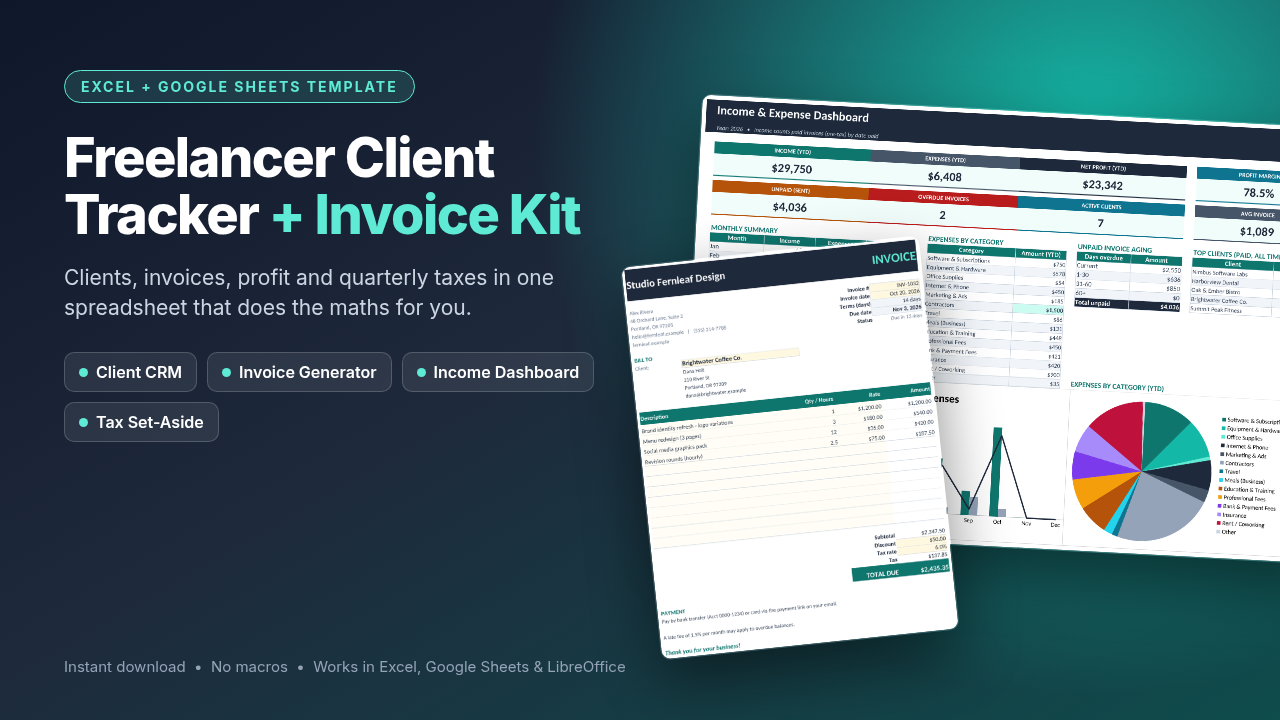
Freelancer Client Tracker + Invoice Kit
One Excel and Google Sheets file with a client list that stores each client's rate and payment terms, an invoice generator with client dropdowns, an invoice log with overdue alerts, an expense tracker, an income dashboard and a quarterly tax set-aside calculator. It does not include reminder templates or send messages; copy the wording on this page and use the kit to keep client details and bill for missed appointments.
Get it →Texting consent: get permission before you send reminders
Text reminders work well, but in many places you need the client's permission before you text them, and you must honor opt-outs. In the US, for example, texting is covered by federal rules such as the TCPA and by carrier rules, and some states add their own. Other countries have their own rules. The details vary, so treat this as a starting point, not legal advice.
- Ask at booking. Add a checkbox or line to your booking page or intake form: "I agree to receive appointment reminders by text at the number above. Message and data rates may apply. Reply STOP to opt out."
- Keep reminders about the appointment. Confirmations and reminders are different from promotions. If you also want to send offers or seasonal promotions by text, ask for that permission separately and clearly.
- Honor STOP right away. When someone opts out, stop texting them and switch to email or phone for reminders.
- Identify yourself. Start each message with your name or business name.
- Text at reasonable hours. Avoid early mornings and late nights in the client's time zone.
- Keep a record. Note when and how each client agreed to texts, for example in your client list.
Email reminders have their own rules for marketing messages (such as including your business address and an unsubscribe link on promotional emails), so keep promotional emails separate from appointment details too.
When to send each reminder
You do not need every message for every appointment. Pick the ones that fit how far ahead people book and how much preparation the job needs.
| Message | When to send | Best for |
|---|---|---|
| Booking confirmation | Right after the booking is made | Every business |
| Two-day reminder | About 48 hours before | Home services, long appointments, anything needing prep or access |
| Day-before reminder | About 24 hours before, during daytime hours | Every business; the one to keep if you send only one |
| Same-day / on-my-way | A few hours before, or when you leave for a home visit | Home visits, mobile services, early-morning appointments |
| Unconfirmed check-in | A few hours after an unanswered reminder | Businesses that ask clients to confirm |
| No-show follow-up | The same day as the missed appointment | Every business |
| Seasonal / holiday booking | A few weeks before your busy season or cut-off date | Past and regular clients |
| Rebooking reminder | Around when a regular client would normally rebook | Recurring services (grooming, cleaning, hair, lashes, training) |
Tip: if your booking app sends automatic reminders, turn them on, then edit the wording so it sounds like you. Use the manual templates for anything the app does not cover, like no-show follow-ups and seasonal reminders.
Common mistakes
- Sending reminders with no way to reply. If clients cannot answer the message, they cannot confirm or reschedule. Use a number or address you actually check.
- Too many messages. Three reminders for a short appointment feels like spam. Most businesses need a confirmation and one or two reminders.
- Missing the basics. A reminder without the date, time or address creates more questions than it answers.
- Texting without permission. Ask at booking, and stop when someone replies STOP.
- Mixing promotions into reminders. Keep appointment messages about the appointment. Send offers separately, to people who agreed to them.
- A threatening tone. "You WILL be charged" reads badly. Mention the policy calmly and briefly.
- Inconsistent policy details. If the reminder says 24 hours and your website says 48, clients will notice. Use one wording everywhere.
- No follow-up after a no-show. A same-day message saves the relationship more often than silence does.
Appointment reminder checklist
- Choose your main reminder channel (text, email or your booking app) and a backup.
- Add a texting consent line or checkbox to your booking page or intake form.
- Save the confirmation, day-before reminder and no-show follow-up templates where you can copy them fast.
- Fill in your business name, address, parking or access notes and prep instructions.
- Make sure the notice window in your reminders matches your cancellation policy.
- Decide when each message goes out and set automatic reminders where your tools allow.
- Use a reply number or email address you check every day.
- Keep a simple record of confirmations, reschedules and no-shows for each client.
- Put seasonal and holiday booking reminders on your calendar a few weeks before your busy season.
- Review your wording every few months and update it when your hours or policy change.
FAQ
When should I send appointment reminders?
Send a confirmation right after booking and a reminder about 24 hours before. Add a reminder about 48 hours before for home visits or appointments that need preparation, and a same-day or on-my-way text for home and mobile services.
Should appointment reminders be texts or emails?
Texts are read quickly and suit short reminders; emails suit confirmations with more detail like prep notes and policies. Many businesses send the confirmation by email and the reminders by text, with the client's permission.
Do I need permission to text clients appointment reminders?
In many places, yes. Ask for permission at booking with a clear consent line, identify your business in each text, honor STOP replies right away and keep promotional texts separate. Rules vary, so check the ones that apply to you.
What should an appointment reminder say?
Your business name, the service, the day, date and time, the address or access details, any preparation needed, how to confirm or reschedule, a short policy reminder and, for texts, an opt-out line.
How do I follow up after a no-show without losing the client?
Send a short, calm message the same day. Say you missed them, hope everything is okay, mention the policy if a fee applies, include a payment link if needed and offer two times to rebook.
How many reminders is too many?
For most appointments, a confirmation plus one or two reminders is enough. More than that can feel like spam, especially for short or routine visits.
This page is general information for small service businesses, not legal or compliance advice. Rules on text messages, email marketing, consent, cancellation fees and consumer protection vary by country, state and industry; check the rules that apply to you and ask a qualified professional if you are unsure. All names and examples are made up.
Related templates
Free 1-Page Invoice Template
A free 1-page invoice for Excel, Google Sheets and LibreOffice plus a printable PDF, with automatic line totals, discount, tax and due date. Handy for billing a no-show fee as its own line after a missed appointment.
Download free →Freelancer Client Tracker + Invoice Kit
Client list with rates and payment terms, invoice generator, invoice log with overdue alerts, expense tracker and profit dashboard.
Get it →More free guides
- Cancellation Policy Templates for Service Businesses
- Salon Cancellation Policy Template for Nail and Lash Techs (Copy and Paste)
- Salon Deposit Policy Template
- Holiday Hours Announcement Templates
- How to Ask Clients for Reviews
- Year-End Client Thank-You Note Templates for Service Businesses
- January Slow Season Promo Ideas for Service Businesses
- Late Payment Email Templates for Freelancers (Polite to Firm)