Late Payment Email Templates for Freelancers (Polite to Firm)
Four copy-ready late payment emails for freelancers, from a friendly reminder to a final notice, plus when to send each one.
Chasing an unpaid invoice is uncomfortable, but a clear, polite sequence of reminders usually works better than one angry email. This guide covers what to check before you write, when to send each reminder, six copy-ready emails from a friendly nudge to a final notice, what to do if the invoice is still unpaid after 30 days, how to prevent late payments, and common mistakes.
This is practical guidance, not legal advice. Rules on late fees, interest and debt collection differ by country and state, so check what applies to you before charging fees or taking further action.
Before you send a reminder
A quick check saves an awkward email:
- Is it actually late? Confirm the due date on the invoice and in your contract.
- Did it reach the right person? Many clients pay through an accounts team. Check you sent it to the address they gave you.
- Is anything missing? Some clients need a purchase order number, tax details or a specific invoice format before they can pay.
- Is there a dispute? If the client raised a concern about the work, deal with that first; a payment reminder will not solve it.
When to send each email
A late invoice is often an oversight (lost in an inbox, waiting for approval or sent to the wrong person) rather than a dispute. Starting friendly and escalating step by step gives the client easy chances to pay without damaging the relationship. Send the first reminder the day after the due date, then escalate at 7, 14 and 30 days overdue.
| When | Goal | |
|---|---|---|
| A few days before the due date (optional) | Friendly heads-up | Good for new clients or large invoices |
| 1 day overdue | Friendly reminder | Assume it was missed; resend the invoice |
| 7 days overdue | Direct follow-up | Ask for a payment date |
| 14 days overdue | Firm reminder | Mention agreed late fees, if any |
| 30 days overdue | Final notice | State a deadline and your next step |
Adjust the timing to your terms and the client. A long-standing client who always pays may only need one friendly note; a new client on a large project may need the heads-up before the due date.
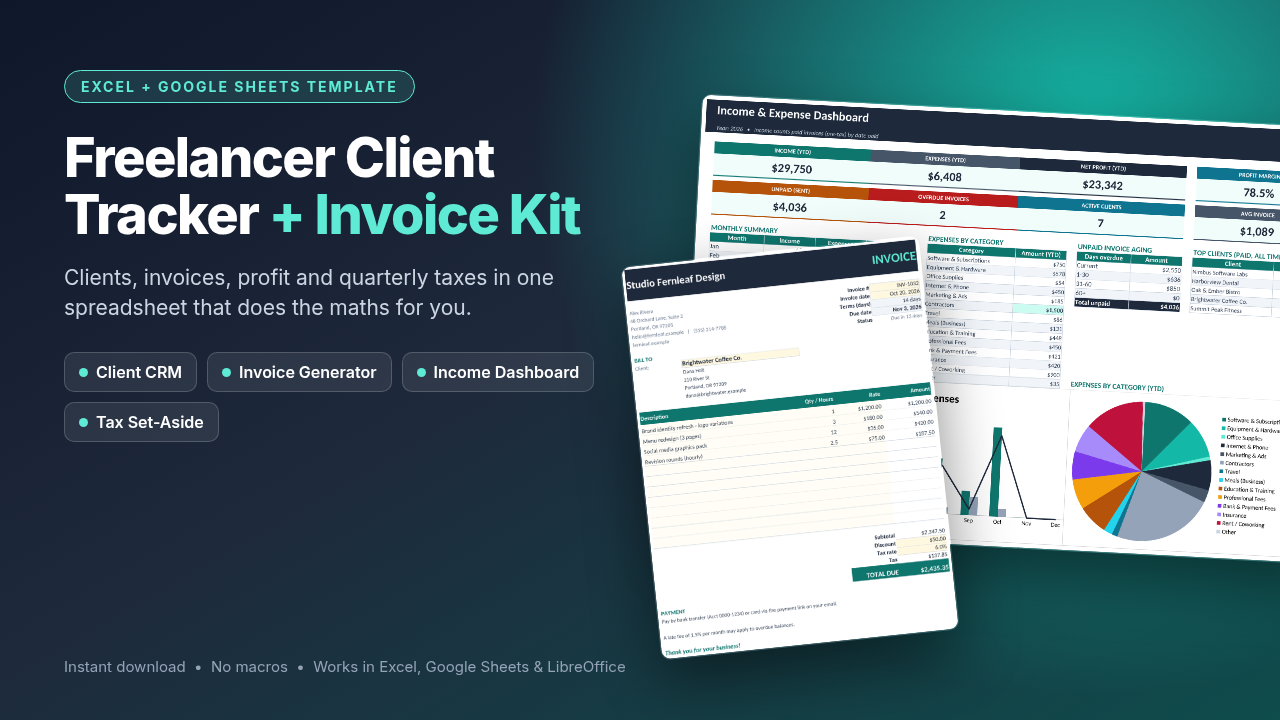
Freelancer Client Tracker + Invoice Kit
A client list, invoice template, invoice log with overdue tracking, expense log, income dashboard and quarterly set-aside estimate in one spreadsheet.
Get it →Six late payment emails you can copy
Replace everything in [brackets]. Attach the invoice to every email, so the client never has to search for it.
- Before the due date (optional). Subject: Invoice [#] due [date]. "Hi [Name], a quick heads-up that invoice [#] for [amount] is due on [date]. I've attached it again here. Thanks!"
- Day 1, friendly. Subject: Invoice [#] reminder. "Hi [Name], just a quick note that invoice [#] for [amount] was due yesterday. I've attached it again for convenience. Let me know if you need anything from me."
- Day 7, direct. Subject: Invoice [#] is now 7 days overdue. "Hi [Name], invoice [#] for [amount] is now a week overdue. Could you confirm when payment will be sent? If there is a problem with the invoice, let me know and I'll fix it."
- Day 14, firm. Subject: Overdue: invoice [#]. "Hi [Name], invoice [#] for [amount] is 14 days overdue. As set out in our agreement, a late fee of [amount or rate] applies from [date]. Please arrange payment this week, or reply with a date I can expect it."
- Day 30, final notice. Subject: Final notice: invoice [#]. "Hi [Name], invoice [#] for [amount] is now 30 days overdue. Please pay by [date]. If I have not received payment by then, I'll need to pause any ongoing work and consider other options to recover the amount."
- Payment received. Subject: Thank you, payment received. "Hi [Name], payment for invoice [#] has arrived. Thank you! Looking forward to the next project."
Only mention a late fee in email 4 if it was agreed in writing before the work started. If no fee was agreed, delete that sentence and keep the request for a payment date.
Tips for writing reminders that get answered
- Include the facts every time: invoice number, amount, original due date and how to pay.
- Make one clear request. "Could you confirm a payment date?" is easier to answer than a long explanation.
- Keep the tone factual. Firm is fine; sarcasm or guilt usually slows things down.
- Reply in the same thread. The client can see the full history at a glance.
- Copy the accounts contact if the client has one, and ask who approves payments.
Still unpaid after 30 days?
If the final notice does not work, you still have options. Which ones fit depends on the amount, the client and your local rules:
- Call. A short, friendly phone call can clear up what emails could not.
- Offer a payment plan. Splitting the balance into dated installments, confirmed in writing, can be better than waiting.
- Pause work. If your contract allows, stop new work until the balance is paid, and say so clearly.
- Send a formal demand letter. A written letter stating the amount, invoice and final date puts your request on record before any further step.
- Small claims or a collection agency. For larger amounts, look up your local small claims process or a reputable agency, and get proper advice first.
Prevent late payments in the first place
- Put the due date and payment terms on every invoice
- Use Net 7 or Net 15 instead of Net 30
- Take a deposit on new projects
- Agree any late fee in writing before you start
- Make paying easy: list your payment methods on the invoice
- Track sent, due and paid dates in one place so nothing slips
A simple client and invoice tracker shows at a glance who owes what and how overdue it is. The free freelance invoice template guide covers what to put on each invoice, the invoice number format guide helps you reference invoices clearly, and how to track freelance clients shows a simple spreadsheet setup.
Free 1-Page Invoice Template
A 1-page invoice for Excel or Google Sheets that totals line items, discount and tax, plus a printable PDF.
Download free →What is in the templates
| File | What is included |
|---|---|
| Free 1-Page Invoice Template ($0+, pay what you want) | A letter-size PDF with blank fields for your details, invoice number and dates, line items, subtotal, discount, tax, total due, payment terms and methods, plus an .xlsx version with 10 line-item rows where amounts and totals calculate automatically and the due date fills in from your payment terms in days. |
| Freelancer Client Tracker + Invoice Kit ($5+, pay what you want) | An .xlsx workbook with Settings (including payment terms, payment instructions and a late fee note you write yourself), a 200-row Clients list, an Invoice tab with a due / past due status, a 1,000-row Invoice Log with days overdue and aging, an Expenses log, a Dashboard and a Quarterly Tax set-aside estimate. Comes as a blank and a sample workbook, plus a 9-page Quick-Start Guide PDF. |
To be clear: neither file sends invoices or reminder emails for you. The emails above are for you to copy into your own email account, and the Invoice Log shows which invoices need one.
Common mistakes and fixes
| Mistake | Fix |
|---|---|
| Waiting weeks before the first reminder | Send a friendly note the day after the due date. |
| Not attaching the invoice | Attach it to every reminder so paying takes one step. |
| Adding a late fee nobody agreed to | Only charge fees agreed in writing, and check your local rules. |
| Angry or emotional wording | State the facts, the amount and one clear request. |
| Threatening action you will not take | Only name next steps you are ready to follow through on. |
| Losing track of who owes what | Keep sent, due and paid dates in one log and check it weekly. |
At year end, the freelancer income and expense tracking guide helps you record what was finally paid.
FAQ
How soon should I follow up on a late invoice?
The day after the due date is a good time for a friendly first reminder. Then follow up at about 7, 14 and 30 days overdue, getting a little firmer each time.
How do I ask for payment politely?
Give the invoice number, amount and due date, attach the invoice, and ask one clear question, such as when you can expect payment. Offer to fix anything that is holding it up.
Can I charge a late fee on an overdue invoice?
Only if it was agreed in writing before the work began, for example in your contract or on your quote. Rules on late fees and interest differ by country and state, so check what applies to you. This is not legal advice.
What should I do if a client ignores all my reminders?
Try a phone call, offer a payment plan, pause work if your contract allows, then send a formal demand letter. For larger amounts, look into your local small claims process and get proper advice.
Does the invoice kit send reminders automatically?
No. The kit is a spreadsheet: its Invoice Log shows days overdue and aging so you can see who needs a reminder, but you send the emails yourself using templates like the ones on this page.
Related templates
Freelancer Client Tracker + Invoice Kit
A client list, invoice template, invoice log with overdue tracking, expense log, income dashboard and quarterly set-aside estimate in one spreadsheet.
Get it →Free 1-Page Invoice Template
A 1-page invoice for Excel or Google Sheets that totals line items, discount and tax, plus a printable PDF.
Download free →More free guides
- Free Freelance Invoice Template (and What to Put on It)
- How to Calculate Your Freelance Hourly Rate (Simple Formula)
- How Freelancers Should Track Income and Expenses for Taxes
- How to Track Business Expenses in Excel or Google Sheets
- How to Track Freelance Clients, Projects and Payments in One Spreadsheet
- Invoice Number Format