Cookie Order Form: What to Include for Custom and Holiday Cookie Pre-Orders (+ Free Template)
A practical guide for home bakers and cookie decorators: the fields every cookie order form needs, how to run a holiday cookie box pre-order with a firm deadline and pickup slots, and how to check one order and a whole season of orders against your real baking capacity, with worked examples you can copy.
Why cookie orders need a written form
Most cookie orders start as a message: "Can I get three dozen for Saturday?" By the time you bake, you are working from a thread of texts, a voice note and a screenshot of someone else's cookies. That is where the problems come from: the wrong pickup day, a missing name on a cookie, a nut allergy nobody wrote down, or a customer who says the deposit was never mentioned.
A cookie order form fixes that by asking the same questions, in the same order, every time. In December it matters even more, because holiday cookie boxes turn a few custom orders a week into dozens of small orders that all want the same few days.
This guide covers what to put on the form and how to run holiday pre-orders. It does not repeat how to set your prices: for that, see holiday cookie pricing (cookie boxes and December rates) and decorated cookie pricing (per dozen by design level). If you also take cake orders, the cake order form guide covers tiers, servings and cake-specific details.
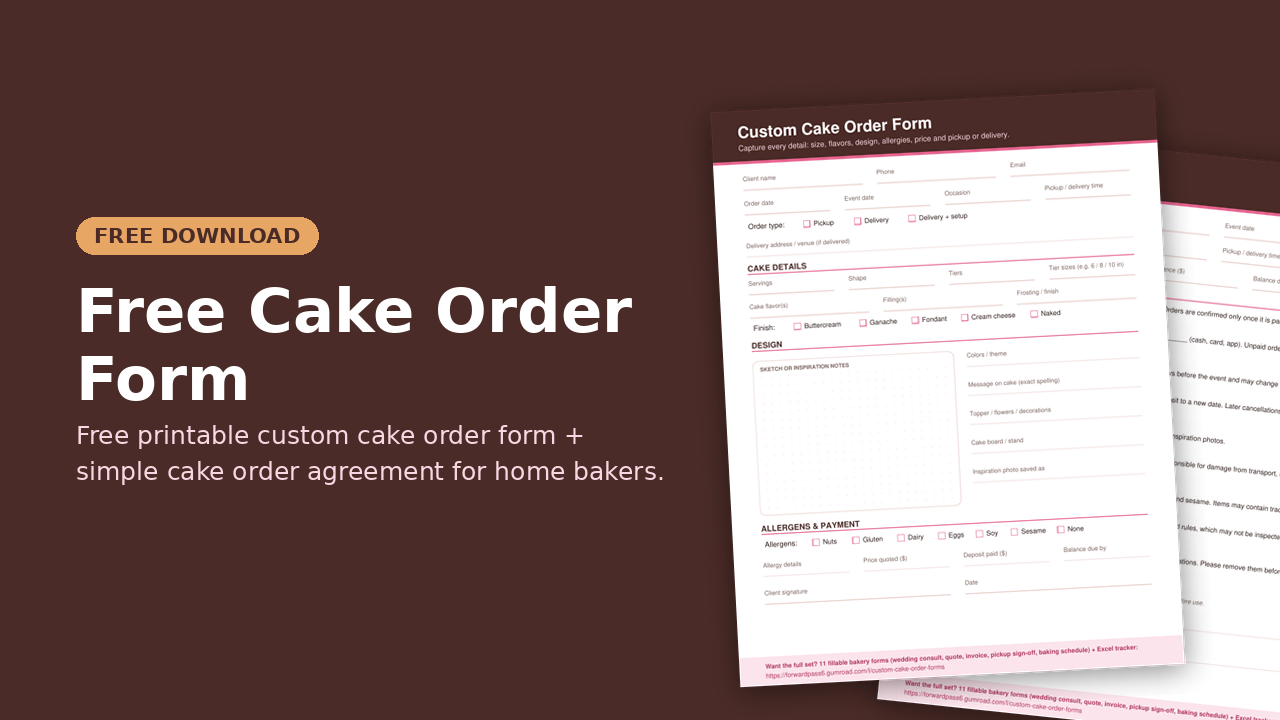
Free Cake and Cookie Order Form
A printable order form for home bakers: customer and pickup details, flavors, design, allergens, price, deposit and balance due.
Download free →Two forms: custom cookie orders and holiday pre-orders
Many home bakers use one form for everything and then wonder why it never quite fits. A custom decorated cookie order and a holiday cookie box pre-order ask different questions, so it helps to keep two versions.
| Custom cookie order form | Holiday pre-order form | |
|---|---|---|
| Best for | Birthdays, showers, weddings, corporate logo cookies | Set holiday menu: cookie boxes, decorated sets, decorating kits |
| What the customer chooses | Theme, colors, text, shapes, quantity, packaging | Items from your menu and a quantity of each |
| How you price it | Quoted per order (design level, dozens, add-ons) | Fixed menu prices, added up on the form |
| Key date | Event date and pickup time agreed one-to-one | One order deadline and a choice of pickup slots |
| Typical volume | A few orders a week | Many small orders landing on the same days |
| Biggest risk | Design misunderstandings | Overbooking your oven and your pickup days |
Both versions share the same core: customer details, pickup or delivery, allergens, price, deposit and terms. The sections below go through each part, then the holiday-only parts.
1. Customer, contact and pickup details
Put these at the top, because they are what you need on the busiest day: when the customer arrives at the door.
| Field | Why it matters |
|---|---|
| Full name (and name the order is under) | Gift orders are often picked up by someone else |
| Phone and email | Phone for pickup-day changes, email for the written confirmation |
| How they found you | Optional, but useful for knowing which channels bring orders |
| Pickup or delivery | Changes the price, the time window and what you need to check |
| Pickup date and time window | A window (for example 2:00–3:00 PM) is easier to keep than an exact minute |
| Delivery address and notes | Gate codes, stairs, who can receive the order |
| Event date (if different) | Tells you how fresh the cookies need to be and whether to suggest storage tips |
| Order number | Lets you match the form, the payment and the box label quickly |
Number every order (for example H-001, H-002 for holiday orders). Write the same number on the form, the payment note and the box label. On a pickup day with many boxes on the table, the number is what stops two orders under "Sarah" from being swapped.
2. The order itself: cookies, quantity and design
This is the part customers think the form is about. Ask for enough detail that you could bake the order without sending a single follow-up message.
- Cookie type and flavor: decorated sugar cookies, chocolate chip, gingerbread, assorted box. If you offer flavors, list them as checkboxes instead of a blank line.
- Quantity in dozens or pieces: pick one unit and use it everywhere. "3 dozen" and "36 cookies" mean the same thing, but "3 boxes" may not.
- Size: standard, mini or large, with the approximate size in inches so the customer knows what they are getting.
- Design level: simple (one or two colors), detailed, or custom/hand-painted. This is usually what drives the price, so make it a clear choice.
- Theme, colors and shapes: a short description plus space for a reference photo. Add a note that hand-decorated cookies will vary a little from any photo.
- Exact text and names: one box per line, spelled out by the customer. Names are the most common thing to get wrong.
- Packaging: bulk in a box, individually heat-sealed bags, ribbons, favor tags or gift boxes. Packaging takes real time, so it belongs on the form, not in a message.
- Dietary requests: a field for what they asked for, and a note on what you can and cannot promise (see the allergen section).
A short "anything else we should know?" line at the end catches the details that do not fit anywhere else, like a surprise party or a color that must match a logo.
3. The holiday pre-order menu and order deadline
A holiday pre-order form works differently from a custom form: you decide the menu and the dates, and the customer picks from them. That is what lets one baker handle many orders in a short season.
- A short menu. A few items you can make well and in batches, for example an assorted cookie box, a decorated sugar cookie set and a decorate-at-home kit. Each extra item adds shopping, prep and packaging steps.
- Price, quantity and amount columns. Let the customer fill in the quantity and the form (or your spreadsheet) adds up the amount for each line and the order total.
- An order deadline banner. Put the last day to order at the top in large type: "Orders close [date] or when sold out." The deadline needs to leave you time to shop for ingredients and plan bake days.
- A sold-out rule. Decide in advance how many of each item you can make, and say on the form that orders are confirmed in the order the deposits arrive.
- Gift notes. A short gift tag message field is easy to add and customers like it for boxes given as presents.
Set the menu quantity limits before you share the form, not after the orders start coming in. The capacity example later in this guide shows one way to work those limits out.
4. Pickup slots and the pickup schedule
If every holiday customer can pick "any time on the 23rd," you will spend the whole day at the door. Pickup slots spread the handoffs out and tell you exactly how many orders must be ready by each hour.
| Pickup window | Dec [date 1] | Dec [date 2] | Max orders per window |
|---|---|---|---|
| 10:00–11:00 AM | ☐ | ☐ | [your limit] |
| 11:00 AM–12:00 PM | ☐ | ☐ | [your limit] |
| 1:00–2:00 PM | ☐ | ☐ | [your limit] |
| 2:00–3:00 PM | ☐ | ☐ | [your limit] |
| 3:00–4:00 PM | ☐ | ☐ | [your limit] |
On the form, the customer ticks one box. On your side, a separate pickup schedule sheet lists each window with the order number, name, items, whether the balance is paid, and a "picked up" checkbox. That single sheet becomes your plan for the day: boxes for the 10:00 window are packed and labeled first.
Leave a gap in the middle of the day for packing and late arrivals, and add a line to your terms about what happens if someone misses their window (for example, they can collect at the end of the day or the next pickup day).
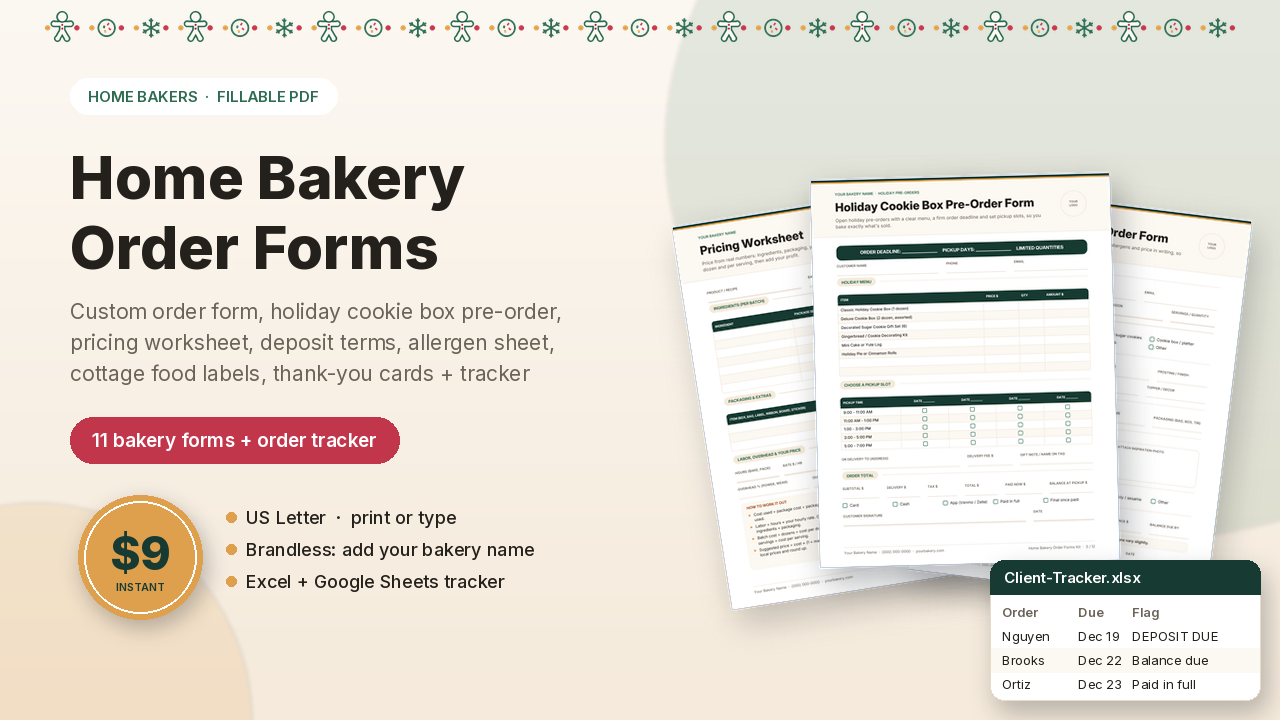
Home Bakery Order Forms Kit
11 fillable forms (custom cake and cookie order form, holiday cookie box pre-order form with deadline and pickup slots, holiday pickup schedule, pricing worksheet with cost per dozen, deposit and order terms, allergen disclosure, cottage food label template, pickup confirmation, invoice and review cards) plus an Excel order tracker with deposits, balances and profit per order.
Get it →5. Allergens and cottage food disclosures
Allergen questions protect your customers and protect you. A good cookie order form does two separate things here.
- Asks the customer whether anyone eating the cookies has a food allergy, and what it is.
- Tells the customer which major allergens are in each item and which ones are used in your kitchen, even if not in their order.
In the United States, the FDA currently lists nine major food allergens: milk, eggs, fish, crustacean shellfish, tree nuts, peanuts, wheat, soybeans and sesame. Most cookies contain at least wheat, milk and eggs, and many home kitchens also handle nuts. Unless you work in a dedicated allergen-free kitchen, avoid writing "nut-free" or "allergen-free" on the form. A plain statement such as "made in a home kitchen that also handles [list]" is clearer and more honest.
If you sell under a cottage food law, your state may require specific wording on labels or at the point of sale, such as a statement that the food was made in a home kitchen, and it may limit which products you can sell, where and how. Rules differ a lot from state to state (and sometimes by county), so check your state or local health department's current rules before you sell or label anything.
6. Price, deposit, balance and order terms
Put the money on the same page as the order, so there is never a question about what was agreed. Use your own rates and policies in place of the bracketed placeholders.
| Field | What to write |
|---|---|
| Item lines and amounts | Each item, quantity, unit price and line amount |
| Packaging and add-ons | Individual bags, gift boxes, tags, rush |
| Delivery fee | If you deliver: [your delivery fee or zone] |
| Order total | Sum of the lines above |
| Deposit to confirm | [your deposit, for example a percentage or fixed amount], due by [date] |
| Balance and due date | Order total minus deposit, due by [date or at pickup] |
| Payment methods | [the methods you accept] |
| Changes and cancellation | [your rule, for example changes accepted until a set date; what happens to the deposit] |
| Missed pickup | [what happens if the customer misses their window] |
| Design variation | Hand-decorated cookies vary slightly from photos and from each other |
Ask the customer to initial the terms or tick a box saying they have read them. If you take orders online, the same terms can sit right above the submit button. Keep a copy of every signed or submitted form for your records.
Worked example: one holiday pre-order, added up
Here is how a single holiday pre-order looks once it is on the form. The menu prices are placeholders to show the math, not suggested prices.
| Item | Qty | Unit price | Amount |
|---|---|---|---|
| Assorted cookie box (1 dozen) | 2 | $30 | $60 |
| Decorated sugar cookie set (6 cookies) | 1 | $24 | $24 |
| Decorate-at-home cookie kit (6 cookies) | 1 | $28 | $28 |
| Subtotal | $112 | ||
| Local delivery | 1 | $10 | $10 |
| Order total | $122 | ||
| Deposit (50% in this example) | $61 | ||
| Balance due at delivery | $61 |
Example only. Names, menu items, prices, dates and quantities are made up to show the method; use your own menu, costs, capacity and terms.
The math: 2 × $30 = $60, plus $24 and $28 gives a $112 subtotal. Adding the $10 delivery fee makes $122. A 50% deposit on $122 is $61, which leaves a $61 balance. If sales tax applies to your sales where you live, add it the way your state requires; that varies by state and product, so it is not shown here.
In baking terms this order is 2 dozen for the boxes plus 6 + 6 = 12 cookies for the set and the kit, so 3 dozen cookies in total. Writing the dozens next to each order is what makes the next step, the capacity check, quick.
Worked example: does the season fit your oven?
Before you share the form, work out how many orders you can actually make, then set menu limits so the form closes before you are overbooked. Every number below is an example; use your own bake days and your own real output.
| Step | Example | Result |
|---|---|---|
| Bake and decorate days before pickup | 3 days | |
| Realistic output per day (your number) | 20 dozen per day | 3 × 20 = 60 dozen capacity |
| Assorted cookie boxes (1 dozen each) | 30 boxes | 30 dozen |
| Decorated sets (half a dozen each) | 24 sets | 12 dozen |
| Decorating kits (half a dozen each) | 20 kits | 10 dozen |
| Total planned | 30 + 12 + 10 = 52 dozen | |
| Buffer for breakage and remakes | 60 − 52 = 8 dozen |
Example only. Names, menu items, prices, dates and quantities are made up to show the method; use your own menu, costs, capacity and terms.
With those limits, menu sales would be 30 × $30 = $900, 24 × $24 = $576 and 20 × $28 = $560, or $2,036 in total before delivery fees. That is only useful if your prices cover your costs, so check the cost per dozen first using the holiday cookie pricing method.
Do the same check for pickups. With five windows a day, two pickup days and a limit of six orders per window, you have 5 × 6 = 30 slots a day, or 60 slots over two days. If the 74 menu items above arrive as, say, 46 separate orders, that is about 23 orders a day, which fits under the 30-slot limit with room to spare.
The order confirmation message
A form is only half the job. Once the deposit arrives, send a short written confirmation that repeats the key details back to the customer. It catches mistakes while there is still time to fix them.
| Sample confirmation (edit to fit) |
|---|
| Hi [name], thank you! Your order [order no.] is confirmed. Items: [items and quantities] Pickup: [date], [time window] at [pickup location or "delivery to address on file"] Total: [total]. Deposit received: [amount]. Balance of [amount] is due [when]. Allergen note: [items contain / made in a kitchen that also handles ...]. Changes are possible until [date]. Please reply if anything above is wrong. |
Save the confirmation with the order. If a customer later remembers the order differently, the written confirmation they received is usually the quickest way to settle it calmly.
Paper, fillable PDF or online form?
The fields matter more than the format, but each format has trade-offs.
| Format | Works well for | Watch out for |
|---|---|---|
| Printed paper form | Markets, in-person orders, phone orders you write down | Re-typing into your tracker; messy handwriting on names |
| Fillable PDF | Emailing a professional-looking form; customers who like to type | Some phones open PDFs without fillable fields; ask them to reply with a photo if needed |
| Online form tool | Many small holiday orders; automatic totals and time stamps | Free tiers and payment features vary; keep a copy of each response |
| Spreadsheet tracker (your side) | Totals, deposits, balances, capacity and pickup lists | Only as good as the data you enter after each order |
Many bakers combine them: customers fill in a form, and every order is copied into one tracker that shows deposits, balances, dozens per bake day and the pickup list.
Common cookie order form mistakes
- No order deadline. Without one, orders keep arriving after your shopping and bake plan is set.
- Open-ended pickup times. "Anytime Saturday" turns into a day of waiting at the door.
- Mixing units. Boxes, dozens and pieces on the same form make capacity planning guesswork.
- No allergen question. Or the opposite: promising "allergen-free" from a shared home kitchen.
- Deposit mentioned only in a message. Put the deposit amount and due date on the form itself.
- Names and text not spelled out. Ask for the exact text in a box, one name per line.
- No order numbers. Two orders under the same first name will get mixed up on a busy day.
- Not checking state cottage food rules. Product limits and label wording are set by your state, not by a template.
One-page cookie order form checklist
- Order number, customer name, phone, email
- Pickup or delivery, date, time window, address and notes
- Cookie type, flavor, size, quantity in one unit (dozens or pieces)
- Design level, theme, colors, shapes, reference photo
- Exact text and names, one per line
- Packaging and add-ons
- Customer allergy question and your allergen disclosure
- Item lines, delivery fee, order total
- Deposit amount and due date, balance and due date, payment methods
- Change, cancellation and missed-pickup terms, design variation note
- Customer initials or "I agree" checkbox
- Holiday only: order deadline banner, menu with limits, pickup slot grid, gift note
- Your side: tracker entry, pickup schedule line, written confirmation sent
FAQ
What should be on a cookie order form?
At minimum: the customer's name and contact details, pickup or delivery date and time, cookie type, flavor, size and quantity, design details and exact text, packaging, allergies, the order total, deposit and balance, and your order terms. Holiday pre-order forms also need an order deadline, a menu with prices and a choice of pickup slots.
How far in advance should holiday cookie orders close?
Far enough ahead that you can shop for ingredients, plan bake and decorate days and still have a buffer for remakes. The right gap depends on your menu, your capacity and your pickup dates, so work backwards from your first pickup day rather than copying another baker's deadline.
Should I take a deposit for cookie orders?
Many home bakers take a deposit to confirm an order, especially for custom designs and holiday pre-orders where you buy ingredients and packaging in advance. Whatever you decide, write the deposit amount, due date and cancellation rule on the form so the customer agrees to it up front.
How do I limit holiday cookie orders so I do not overbook?
Work out your realistic output (dozens per day times bake days), subtract a buffer for breakage and remakes, then set a maximum for each menu item and each pickup window. Say on the form that orders close at the deadline or when sold out, and confirm orders in the order deposits arrive.
Can I write "nut-free" on my cookie order form?
Only if you can truly guarantee it, which most shared home kitchens cannot. A clearer approach is to list which major allergens are in each item and which are used in your kitchen, ask customers about allergies, and let them decide. Check your state's cottage food rules for any required allergen or label wording.
Is a cookie order form the same as a contract?
A signed or submitted order form with clear terms is a written record of what was agreed, which is what most small orders need. For large or high-value orders, such as weddings or corporate events, some bakers use a separate written agreement. This guide is not legal advice; ask a local attorney if you are unsure what your orders require.
This page is general information for home bakers and cottage food businesses, not legal, tax, food safety or health advice. Cottage food laws, labeling and allergen requirements, sales tax and permit rules vary by state and locality and can change, so check the current rules with your state or local health department and ask a qualified professional about your situation. All prices and quantities shown are examples only.
Related templates
Free Cake and Cookie Order Form
A printable order form for home bakers: customer and pickup details, flavors, design, allergens, price, deposit and balance due.
Download free →Home Bakery Order Forms Kit
Holiday cookie box pre-order form, pickup schedule, allergen disclosure, labels and an Excel order tracker with profit per order.
Get it →